

























A retailer with twenty stores, a POS that predates the website and an ERP that runs the warehouse faces the same question at the start of every Magento project: which system owns stock, prices, customers, loyalty points and orders, and how does each one reach the others? Get it wrong and the website sells what the shelf no longer holds, a promotion shows one price in store and another online, and points earned online never reach the till.
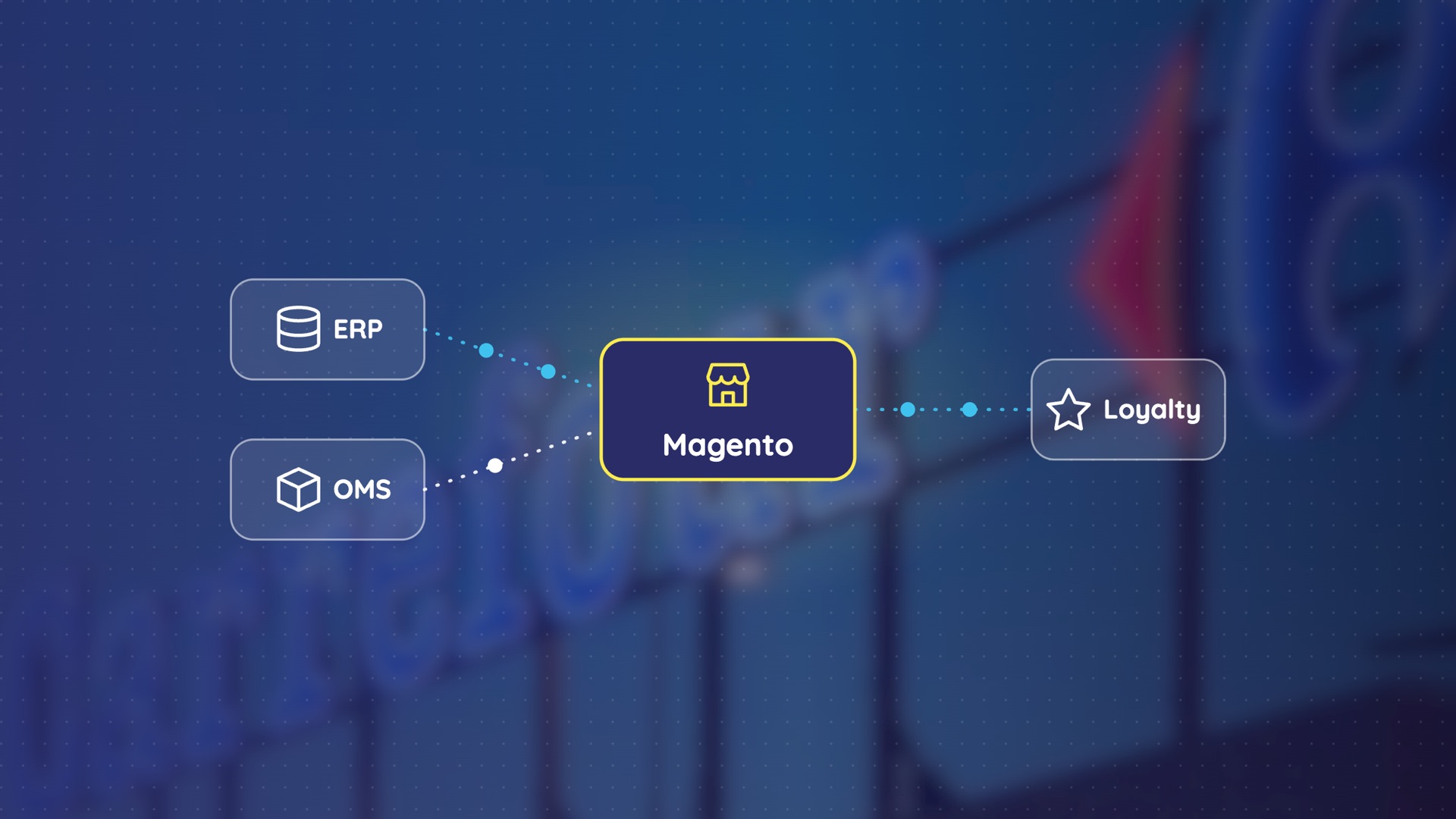
Our answer: stock and prices stay with the system the stores already trust, usually the ERP, which pushes final prices, promotions included, to Magento. Loyalty points stay in the loyalty engine, and customers are matched on their mobile number. Magento takes orders, an order management system prepares them, and the ERP receives them through a queue. Magento becomes the master only of what the ERP cannot handle for consumers. And whatever the map, the website never depends on the ERP in real time: it sells on its own copy, with reservations, a safety margin per product family and queues, so it keeps selling when the ERP is slow or down.
What Magento brings, and where it stops
Adobe Commerce (Magento) does not know the real stock of twenty stores, prepare orders in a stockroom or keep the loyalty balance a cashier reads; those jobs belong to an ERP, an order management system (OMS) and a loyalty engine. It does bring two native mechanisms that the rest of the architecture builds on:
- Reservations. When an order is placed, Inventory Management holds the quantity against the salable stock and deducts it at shipment, without waiting for any external system.
- The Out-of-Stock Threshold. A quantity subtracted from the salable quantity, set for the whole catalog or per product. It is how a safety margin is applied.
Who owns what, and how each flow runs
Each piece of data has one master, and on our projects it is the system the stores already trust: a general ERP such as Microsoft Dynamics 365 Business Central, Sage or Odoo, a retail ERP for grocery chains such as METI, a loyalty engine, and sometimes Magento itself. This is the wiring we run in production.
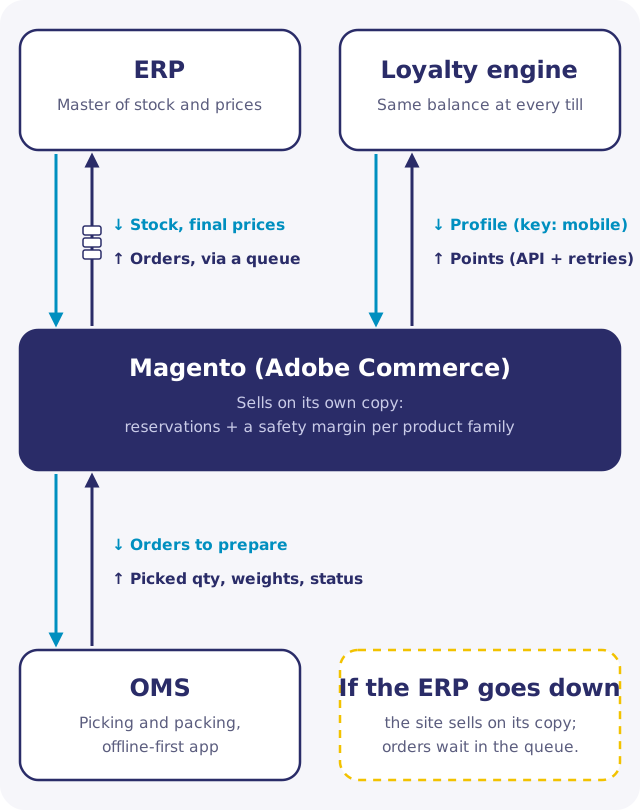
| Data | Master | How it reaches the other systems | When the master is down |
|---|---|---|---|
| Stock per store and warehouse | ERP or retail ERP | Events (publish/subscribe) with a cron that checks and reconciles, when the ERP is modern; otherwise a delta sync every 15 to 30 minutes that reads only what changed since the last run | The website sells on its copy, with reservations and a safety margin |
| Prices and promotions | ERP or POS | The ERP computes the final price, store promotions included, and pushes it to Magento; Magento computes only web-only promotions (codes, cart rules) | The website sells on the last prices received |
| Customer | Loyalty engine or CRM | The mobile number is the common key between the web account and the store loyalty profile | The web account, held by Magento, keeps working |
| Loyalty points and vouchers | Loyalty engine connected to the tills | Magento calls the engine's API at order time, with retries, and a queued job as fallback | Point movements wait in the queue and are replayed when the engine is back |
| Orders | Magento takes them; the OMS prepares them | Orders go to the ERP through a queue it consumes at its own pace | Orders wait in the queue; nothing is lost |
Two exceptions come up often. Loyalty is frequently outside the ERP altogether, in a dedicated engine such as C-Link Loyalty from Symag (now part of ChapsVision), which runs the same rule engine centrally and at the till. At Magasin Général, points, vouchers and receipts live in MG's loyalty system, connected to the checkouts of all 104 stores, and the MyMG loyalty app we built plugs into it. Yanaya, a fashion and sports retailer present in 12 African countries, runs a single Magento with a catalog, payment methods and delivery options per country (live in Tunisia, Algeria and Morocco), while its loyalty program runs in a third-party engine outside both Magento and the ERP.
The second exception is Magento as master. When the ERP exists but cannot handle web prices, web promotions or a consumer customer with an account, Magento takes over that data, and the ERP keeps what it does well.
How to decide where each master sits
The map changes from one retailer to the next because it follows the stores' history, their legacy systems, the project's timeline and its budget. Three criteria settle it on the projects we scope:
- Which system already rules in store? It stays the master. Move a master only for a business reason the stores can see.
- Was it built for consumer traffic? An ERP, a retail ERP or a till server was designed for staff users, not for thousands of shoppers on a promotion night. Whatever its role, the website reads from a copy and writes through a queue.
- How omnichannel are the existing systems? The less they were designed for it (a POS that cannot see web orders, stockrooms without reliable network), the more you add standalone components next to them instead of stretching them.
How systems connect is a separate rule from where the master sits. We prefer an API, even an old SOAP one, to scheduled file exports, because a failed or partial export goes unnoticed until a customer complains. When a system offers only exports, we build the sync with monitoring, alerts on delays and a fallback.
The website must survive the ERP
I try to stay as independent as possible from the ERP and from any system that was not designed for the general public or for heavy load. — Tarek Morgene, CTO, Satoripop
That independence held at Batam, an electronics and home appliance retailer, during an aggressive Black Friday promotion: thousands of orders over the night, stock sold out within minutes of the midnight launch, and no oversold order. Three mechanisms carried it.
- Reservation at checkout. Stock is held the moment the order is placed, through Magento's reservations, not at the next sync with the ERP. Their queue consumer has to run and be monitored, or salable quantities drift.
- A safety margin per product family. Part of the stock is never shown online: more on fresh products and fast movers, where store sales eat the stock between two syncs, less on non-food, where counts are stable. Since Magento's threshold is set per product, the family value is applied product by product.
- A queue to the ERP. The website confirms orders at web speed; the ERP consumes them at its own pace and catches up after the peak.
Without them, a promotion like Batam's forces a choice between an ERP that collapses under real-time stock checks and a website that keeps selling products that left the shelf minutes ago, then cancels confirmed orders the next morning.
When the POS is not omnichannel by design, build next to it
If the store systems cannot carry the web operation, add a component that can, and connect it to them only where needed. Carrefour Tunisia's first e-commerce platform is our reference case: around twenty connected stores, more than 10,000 products with stock and prices per store, home delivery, click and collect and drive.
The stores' POS was not omnichannel by design, and the stockrooms where orders are prepared, often in basements, and the drive points had no reliable network. So:
- Preparation runs in its own OMS. Picking and packing run in RetailOps, the order management platform we built, which works standalone rather than waiting on the ERP or the POS.
- The preparation app is offline-first. Pickers work on a mobile app that keeps working without network and syncs when the connection returns: quantities actually picked (including items missing from the shelf), substitutions and their price difference, the real weight of fresh products, and each order status, up to RetailOps and then Magento.
- The final amount is settled without the POS. Customers pay on delivery. When an order was paid online and the weighed amount comes out higher, Carrefour absorbs the difference; when it comes out lower, the customer earns loyalty points. A more expensive substitute the customer approved is paid on delivery.
The app never syncs with the store POS. Tying every online order to a system that was not built for it would have made the till the bottleneck of the web operation.
What to do on Monday morning
- Fill in the table above for your own stack: for each piece of data, the master your stores trust today, the flow, and what happens when that master is down. Every empty cell is a risk.
- Find every place where your website calls the ERP, the POS or the loyalty engine in real time, and give each one a copy, a queue or a retry.
- Check that your stock sync is event-driven or a delta job, and that Magento's reservation consumer runs and is monitored.
- Before your next promotion peak, set a safety margin per product family and test the website with the ERP switched off.
To see how we combine Magento with order management, POS and loyalty for retailers, read our page on Magento e-commerce and retail solutions.